How to Generate NRS-Compliant Invoices Online in Nigeria (2026 Guide)
Follow simple steps to create electronic invoices, obtain Invoice Reference Numbers (IRNs) and QR codes, to submit invoices to the Nigeria Revenue Service.
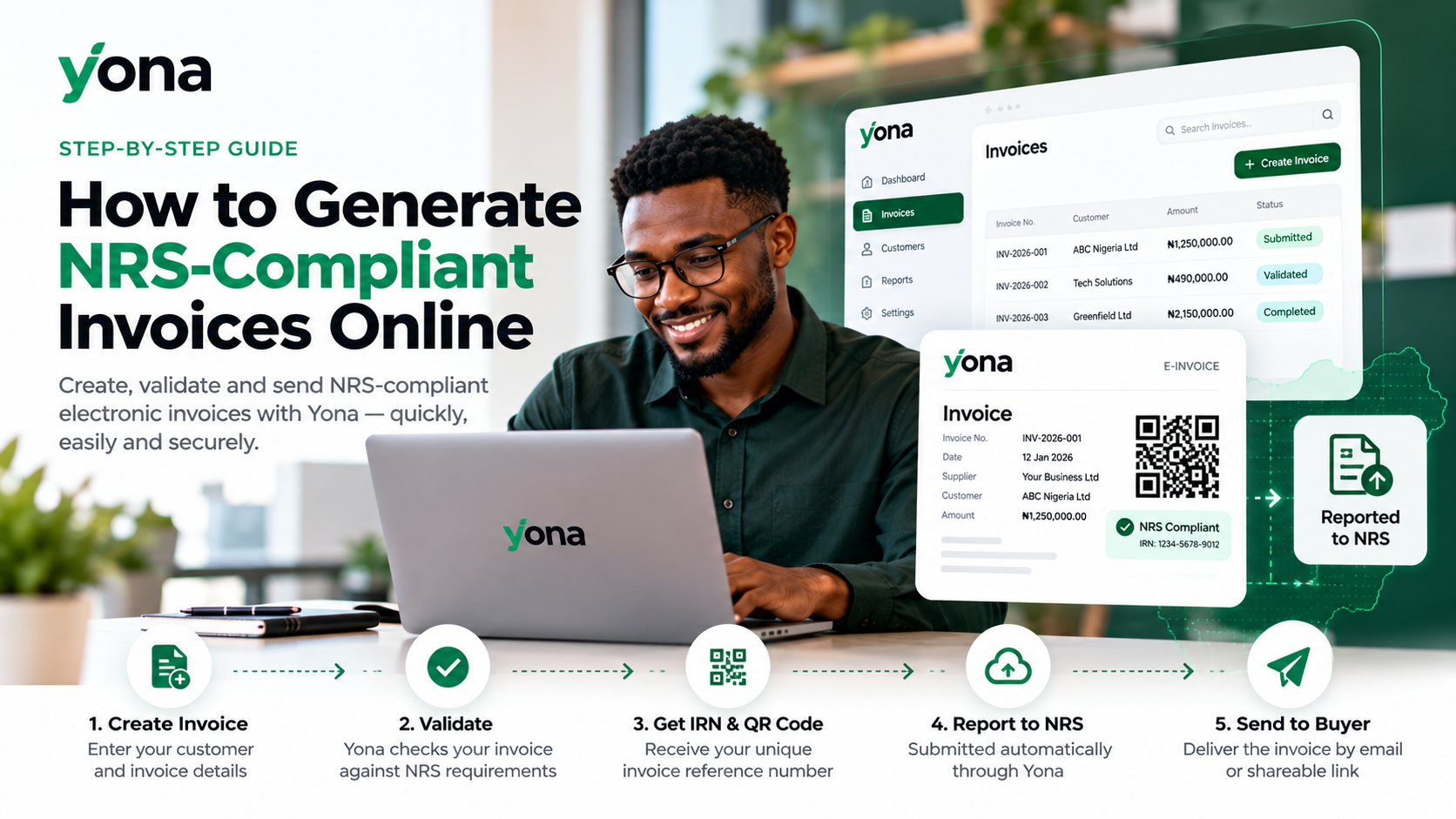
How to Generate NRS-Compliant Invoices Online in Nigeria
Generating electronic invoices is becoming essential for Nigerian businesses as the Nigeria Revenue Service (NRS) implements its e-invoicing requirements.
Whether you run a small business or manage a large organization, creating NRS-compliant invoices online helps you maintain accurate records, simplify tax reporting, and meet applicable regulatory requirements.
With Yona, you can generate, validate, and submit electronic invoices directly from your browser without installing complicated software.
What Is an NRS-Compliant Invoice?
An NRS-compliant invoice is an electronic invoice that follows the data and validation requirements of Nigeria's e-invoicing system.
Unlike a regular PDF or paper invoice, a registered NRS e-invoice includes important identifiers such as:
- Invoice Reference Number (IRN): A unique reference identifying the invoice.
- QR Code: A machine-readable code used for invoice verification.
- Supplier and Buyer Information: Relevant business details and Tax Identification Numbers (TINs).
- Transaction Details: Goods or services supplied, prices, and applicable taxes.
These details help make business transactions more transparent and traceable.
How to Generate NRS-Compliant Invoices Online in 5 Steps
Step 1: Create Your Yona Account
Visit useyona.com and sign up for an account.
Register your business and verify its Tax Identification Number (TIN).
Yona also provides a sandbox environment where you can practise generating invoices before submitting real transactions.
Step 2: Connect Your Business to the NRS
Before issuing live NRS e-invoices, your business must be connected to the e-invoicing network.
Log in to the NRS e-invoicing portal and select ELYONAR LTD, the licensed Access Point Provider behind Yona.
Follow the connection instructions to authorize your business and configure the required credentials.
Step 3: Create a New Invoice
Once your business is connected, open your Yona dashboard and create an invoice.
Enter the required information, including:
- Customer name and TIN, where applicable.
- Description of goods or services.
- Quantity and unit price.
- Applicable VAT and other tax information.
- Invoice date and payment details.
Review the information carefully before submission.
Step 4: Validate and Submit Your Invoice
Submit the invoice through Yona.
The platform checks the required information and handles electronic invoice processing through the NRS network.
After successful registration, the invoice receives its IRN and QR code.
You can track the processing status directly from your Yona account.
Step 5: Send and Manage Your Invoice
Once the invoice has been processed, you can deliver it to your customer through supported methods, including email, shareable links, or PDF downloads.
Buyers participating in the e-invoicing network can also receive invoices through their own Access Point Providers.
Yona keeps records of invoice activity, making it easier to track transactions and manage your invoicing history.
Why Generate NRS-Compliant Invoices With Yona?
Yona provides a straightforward way to manage electronic invoicing without developing your own system.
Key benefits include:
- Easy online invoicing: Create invoices directly from your browser.
- NRS connectivity: Submit electronic invoices through a licensed Access Point Provider.
- Automated processing: Generate IRNs and QR codes through the required workflow.
- Invoice management: Track submissions and maintain organized records.
- API integration: Connect existing accounting or ERP software.
- Sandbox testing: Practise issuing invoices before going live.
Whether you're issuing a few invoices or handling high transaction volumes, Yona offers options to support your business.
Frequently Asked Questions
Can I generate NRS-compliant invoices online for free?
Yona offers a free plan with credits for trying the platform, including sandbox testing. Live invoice submissions may consume credits depending on your plan.
Do I need accounting software to generate NRS e-invoices?
No. You can create and submit invoices using Yona's browser-based application without purchasing separate accounting software.
Can I edit an invoice after submitting it to the NRS?
A registered invoice cannot simply be edited. Corrections must follow the applicable process, such as issuing a credit note or debit note.
Can I generate NRS e-invoices using my existing ERP?
Yes. Yona offers API connectivity and integration services for businesses using existing accounting, billing, or ERP systems.
Start Generating NRS-Compliant Invoices With Yona
Creating compliant electronic invoices doesn't have to be complicated.
With Yona, you can connect your business to the NRS e-invoicing network, generate invoices online, and manage your reporting from one platform.
Ready to create your first NRS e-invoice?
Visit useyona.com or create your Yona account to get started today.